


RPA software automates repetitive work across applications by interacting with the same interfaces employees use: web apps, desktop software, legacy systems, and virtual desktops. It remains particularly useful when a process cannot be automated cleanly through APIs alone.
Modern RPA platforms, however, go beyond UI bots. They combine workflow orchestration, API integrations, document processing, AI, business rules, and centralized bot management to automate processes across multiple systems.
That makes platform selection an architecture decision, not just a feature comparison. A Microsoft-heavy organization may prioritize Power Automate's integration with Microsoft 365 and Azure, while an SAP enterprise may need native SAP process automation. A finance organization may prioritize unattended execution, auditability, and segregation of duties, while an engineering team may need API-driven automation instead of UI bots.
This guide compares 10 RPA platforms based on their automation capabilities, integrations, AI features, governance, deployment models, pricing, and fit for different U.S. business environments.
How We Evaluated These RPA Tools
We evaluated these platforms based on how they actually execute and operate automation in a U.S. enterprise environment, not just the number of features listed on a vendor page. Here are the factors we used to assess where each platform fits and where its capabilities differ:
- RPA execution. Whether the platform supports attended and unattended bots, desktop/UI automation, scheduling, queues, and centralized bot orchestration.
- Application connectivity. How the platform interacts with APIs, SaaS applications, ERP systems, databases, desktop software, legacy applications, and Citrix/VDI environments.
- AI and intelligent automation. What the platform adds beyond traditional bots: document processing, AI-assisted development, copilots, intelligent extraction, and AI agents where available.
- Governance and control. RBAC, credential handling, audit trails, bot versioning, approvals, monitoring, and centralized administration.
- Deployment model. Cloud, SaaS, hybrid, on-premises, and customer-managed deployment options.
- Operating model. Whether automation is managed as individual desktop bots or as a centralized digital workforce with scheduling, queues, monitoring, and bot management.
- Total cost of ownership. Licensing plus infrastructure, bot capacity, implementation, maintenance, and the specialist skills required to operate the platform.
RPA Software at a Glance
UiPath
UiPath is built for organizations that want RPA to operate as part of a broader enterprise automation platform rather than as a standalone bot tool. Its RPA layer supports UI automation across modern applications, legacy systems, and virtual environments such as Citrix, with attended and unattended robots managed centrally.
Its current platform also extends beyond deterministic bots into AI agents, document processing, business orchestration, and governed AI automation. Enterprise tiers add capabilities such as self-healing UI automation, BYOM, customer-managed encryption keys, CI/CD integration, and process simulation.
Key features
- UI Automation: Computer Vision and selectors automate Windows, macOS, legacy applications, and Citrix environments.
- Orchestration: Coordinates robots, APIs, agents, and people through UiPath's business orchestration layer.
- Document Automation: Classifies and extracts information from enterprise documents before downstream automation.
- AI + RPA: Combines deterministic robots with AI agents, including self-healing UI capabilities in higher tiers.
Pros:
- Strong fit for a centralized enterprise automation program spanning UI, API, documents, and AI.
- Mature governance with RBAC, audit trails, version control, and enterprise identity integration.
- Flexible deployment includes cloud and customer-managed environments.
Cons:
- Enterprise capabilities quickly move beyond simple bot licensing into a broader platform purchase.
- Advanced features such as self-healing and process simulation are tied to higher-tier offerings.
- Large deployments require dedicated automation governance and engineering practices.
Microsoft Power Automate
Power Automate is particularly relevant when Microsoft 365, Azure, SharePoint, Teams, Dynamics, SQL Server, or Dataverse already form the organization's application layer.
Its RPA capability comes through Power Automate for desktop, while cloud flows provide the orchestration layer. Microsoft supports both attended and unattended desktop automation; unattended execution requires the Power Automate Process license.
Key features
- Desktop Flows: Automate Windows applications and legacy UI processes.
- Cloud + Desktop Orchestration: Trigger desktop automation from cloud flows and connect it to APIs and business processes.
- Microsoft Connectors: Connect workflows to services such as Microsoft 365, SharePoint, SQL Server, and other applications.
- Copilot for Desktop Flows: In U.S. environments, Copilot can generate or modify supported desktop-flow actions from natural-language instructions.
Pros:
- Strongest architectural fit for organizations already standardized on Microsoft Power Platform.
- Cloud flows can coordinate RPA with API-based automation rather than forcing everything through the desktop.
- Transparent licensing exists for attended and unattended execution: Microsoft lists Power Automate Premium at $15/user/month and Process at $150/bot/month.
Cons:
- Unattended RPA introduces bot/process licensing and Windows execution infrastructure Cons:iderations.
- Copilot's desktop-flow generation currently supports only a subset of desktop actions and is subject to regional availability.
- Teams outside the Microsoft ecosystem may need additional integration work.
Automation Anywhere
Automation Anywhere takes a cloud-first approach to enterprise RPA and increasingly positions RPA as the execution layer for AI agents and broader automation.
Its current platform emphasizes web-based management, centralized Control Room operations, AI integration, enterprise application connectivity, and cloud/hybrid deployment.
Key features
- Cloud-native RPA: Centralized automation management without requiring every component to be operated as traditional on-prem RPA infrastructure.
- Control Room: Manages bots, workloads, schedules, and automation operations through a web interface.
- AI + RPA: Connects RPA execution with AI agents, generative AI, and enterprise applications.
- Human-in-the-loop: Allows people to participate when an automated process reaches an exception or requires approval.
Pros:
- Strong fit for organizations moving from traditional RPA toward AI-enabled automation.
- Cloud/hybrid flexibility is useful for distributed enterprise environments.
- Centralized governance includes role-based access and audit trails.
Cons:
- The broader AI/agentic platform can be more than a company needs for straightforward desktop automation.
- Enterprise pricing generally requires a sales engagement.
- Teams migrating from simple attended automation need to establish centralized bot governance as deployment expands.
Zapier
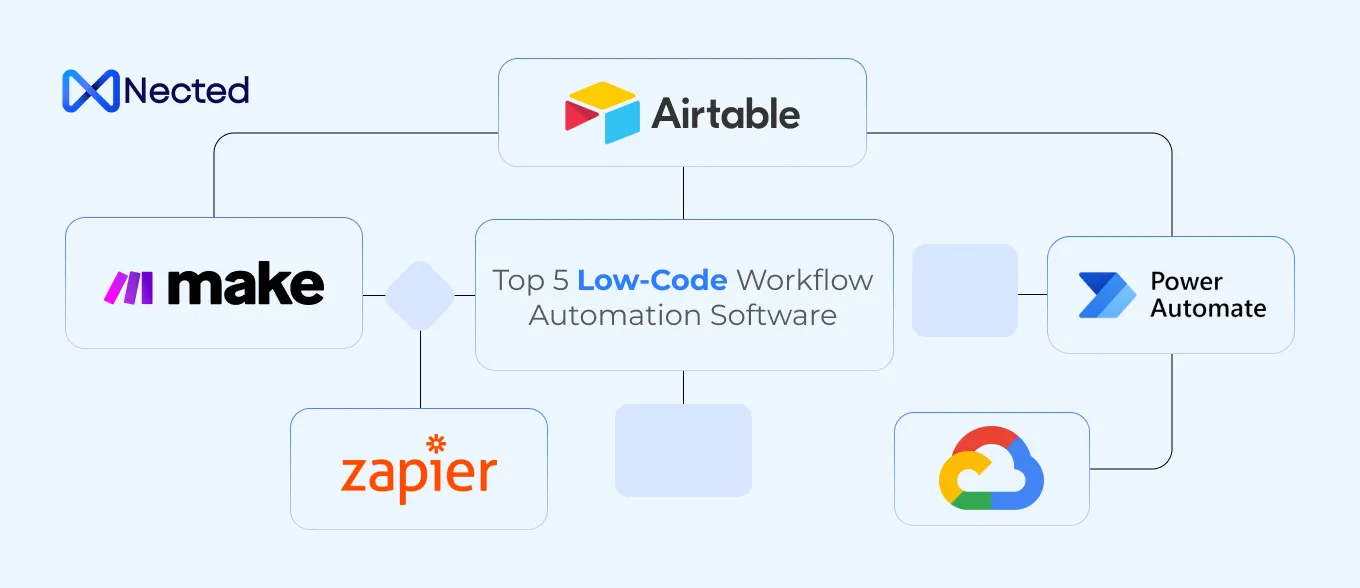
Zapier is a cloud-based automation platform built around connecting SaaS applications and triggering actions when defined events occur. Its core model is trigger → action, with multi-step Zaps allowing data to move through several applications without custom integration code. It is better suited to API-connected business processes than traditional RPA scenarios involving desktop applications, Citrix, or legacy systems with no usable APIs.
Key features
- Multi-step Zaps: Chain multiple actions, filters, paths, and application steps into a single automated workflow.
- 5,000+ App Integrations: Connect business applications across CRM, marketing, finance, productivity, support, and other SaaS categories.
- Paths and Filters: Route execution based on field values or conditions instead of sending every trigger through the same sequence.
- AI Automation: Use AI-powered steps and agents to classify information, generate content, extract data, and perform actions within connected workflows.
Pros:
- Strong fit for connecting SaaS applications without building and maintaining custom integrations.
- Low-code workflow Cons:truction lets business teams create and modify straightforward automations without maintaining application code.
- Useful for event-driven processes such as lead routing, notifications, CRM updates, and cross-application data synchronization.
Cons:
- Cloud-only execution makes it unsuitable when automation must run directly inside a private network or on a user's desktop.
- It is not a traditional unattended RPA platform for controlling desktop applications, Citrix sessions, or legacy software through the UI.
- Complex workflows can become difficult to govern when business-critical logic is distributed across many individual Zaps.
Nected
Nected is the outlier in this list because it is not traditional UI-first RPA. Its core capability is configurable workflow automation and business decisioning. Instead of controlling a browser or desktop application, Nected lets teams put rules, Decision Tables, RuleSets, database operations, and API calls directly into application workflows. Rules can be tested in staging, reviewed, published, and invoked through APIs.
That makes it relevant when the automation problem is primarily backend process logic, not clicking through legacy software.
Key features
- Decision Tables: Represent multi-condition business logic without embedding it directly in application code.
- Rule Nodes: Execute SimpleRules, DecisionTables, or RuleSets as workflow steps.
- API Automation: Trigger rules and workflows programmatically from existing applications.
- Staging + Approval: Rules can be tested, versioned, reviewed, and published before production execution.
Pros:
- Keeps changing business logic outside application code.
- Better fit than UI RPA when the process already exposes APIs or database access.
- Useful for pricing, eligibility, routing, approvals, segmentation, and other decision-heavy workflows.
Cons:
- It does not replace a traditional desktop RPA platform for screen-based automation.
- Not designed as a Kubernetes workload scheduler or digital-worker fleet manager.
- Teams needing UI automation for Citrix, desktop ERP, or legacy applications need a different RPA layer.
Pega
Pega combines RPA with its broader workflow, case-management, decisioning, and customer-engagement platform. Its RPA layer is particularly useful when bots need to bridge gaps between systems that do not expose APIs.
Pega supports both unattended and attended RPA, while Robot Manager provides centralized robot monitoring, scheduling, work-group management, and performance controls.
Key features
- Unattended RPA: Runs high-volume repetitive tasks continuously in the background.
- Attended RPA: Provides digital assistance to employees during desktop work.
- Robot Manager: Manages robot health, workload, scheduling, and throughput.
- Decisioning + Workflow: Connects RPA to Pega's case management and business-rule environment.
Pros:
- Strong fit where RPA is only one component of a larger case-management process.
- Robot Manager provides explicit workforce-management capabilities.
- Particularly useful for bridging unrelated legacy applications without waiting for API modernization.
Cons:
- Buying Pega solely for desktop RPA can introduce unnecessary platform scope.
- Its broader process/case model requires more platform knowledge than a standalone bot tool.
- Best value appears when the organization also needs Pega workflow or decisioning.
SAP Build Process Automation
SAP Build Process Automation combines workflow automation, RPA, business rules, forms, document processing, and AI on SAP Business Technology Platform.
Its RPA layer supports both attended and unattended bots and can automate UI interactions where APIs are unavailable. It can also connect process automation to SAP and third-party applications through APIs and UI-based integration.
Key features
- SAP + Non-SAP Automation: Connects automation to SAP applications as well as third-party systems.
- Attended/Unattended Bots: Supports both user-triggered and fully automated RPA.
- Joule AI Assistance: Uses Joule to assist with generating processes, decisions, forms, and scripts.
- Document Processing: Extracts information from structured and unstructured documents using templates and LLM-based extraction.
Pros:
- Natural fit for organizations already using SAP BTP and SAP business processes.
- Combines RPA with workflow and SAP integration instead of treating bots as a separate layer.
- Supports UI automation for legacy systems alongside API-based integration.
Cons:
- Less compelling for organizations without a meaningful SAP footprint.
- SAP BTP architecture adds platform dependencies beyond the RPA bot itself.
- Advanced capabilities can involve separate licensing and Cons:umption Cons:iderations.
IBM Robotic Process Automation
IBM RPA provides attended and unattended bots, a development environment, OCR, bot scheduling, workload management, and centralized dashboards. IBM also connects RPA with its broader watsonx automation ecosystem.
Key features
- IBM RPA Studio: Build and test bots for repetitive business processes.
- Bot Management: Control Center manages bots, schedules, and operational metrics.
- BPMN Workflows: RPA workflows can use BPMN to define control flow and persist execution data.
- OCR + AI: Supports document extraction and AI-driven bot use cases.
Pros:
- Offers both SaaS and on-premises deployment.
- Strong fit for enterprises already operating IBM infrastructure and automation services.
- IBM publishes an entry price for RPA rather than requiring every buyer to start with a custom quote: its current pricing page lists $981/month as a starting point for SaaS and on-prem offerings.
Cons:
- IBM's broader automation portfolio can make architecture selection more involved.
- On-prem deployments carry infrastructure and administration requirements.
- Teams outside the IBM ecosystem may not gain as much from its surrounding platform integrations.
Appian RPA
Appian RPA is designed to be used inside Appian's broader process automation platform, rather than as an isolated bot platform.
Bots can participate in Appian workflows alongside people, APIs, business rules, AI, and document processing. Appian supports RPA execution across Windows, Linux, and Mac environments from its cloud platform.
Key features
- RPA Task Recorder: Records repetitive user actions and converts them into automations.
- Process Orchestration: Passes work between bots, people, systems, and AI.
- AI + IDP: Combines RPA with intelligent document processing and AI.
- Cross-Environment Execution: Supports bots running on Windows, Linux, and Mac.
Pros:
- Strong choice when RPA must be embedded inside case and process workflows.
- Avoids maintaining a separate RPA product alongside Appian process automation.
- Current Appian pricing explicitly includes RPA bot allowances, with higher tiers supporting 25 or unlimited bots.
Cons:
- Less compelling as a standalone RPA purchase if the organization does not need Appian's process platform.
- The value comes from combining RPA with orchestration, data, and process capabilities.
- Enterprise platform licensing can be broader than the requirements of a small bot-only deployment.
Nintex RPA
Nintex RPA is built around Botflows, attended/unattended bots, and centralized RPA management. Nintex RPA Central provides scheduling, bot management, job execution, user administration, encryption, and centralized control. Nintex is particularly relevant when RPA is part of a wider workflow-automation program.
Key features
- Botflows: Define reusable sequences of automated desktop actions.
- RPA Central: Manage bots, botflows, jobs, users, and schedules centrally.
- Attended + Unattended Bots: Support both employee-assisted and background automation.
- Workflow Integration: Nintex workflows can invoke RPA botflows, connecting desktop automation with broader process automation.
Pros:
- Strong fit for organizations already using Nintex workflow automation.
- Provides centralized bot and botflow management instead of managing desktop automations individually.
- Enterprise licensing includes attended and unattended bots, workflows, cloud-to-ground connectivity, SAP interactions, and emulator actions.
Cons:
- RPA Central is an on-premises web application, which adds infrastructure Cons:iderations.
- The architecture is more workflow-centric than AI-agent-centric.
- Organizations wanting a cloud-only RPA control plane may prefer newer cloud-native platforms.
RPA Software Pricing and Total Cost of Ownership
The platforms above use different pricing models, so the license price alone does not show what an RPA deployment will cost to run. For a U.S. enterprise, the main cost areas are:
- Licensing: User, bot, process, unattended-worker, AI, or document-processing fees.
- Implementation: Process discovery, bot development, integrations, testing, security setup, and production rollout.
- Infrastructure: VMs, Windows machines, VDI/Citrix environments, networking, databases, and orchestration components.
- Maintenance: Bot monitoring, failed runs, application changes, credential rotation, upgrades, and exception handling.
The practical comparison is therefore what you pay for the software and what it takes to run the resulting automations in production.
RPA vs. Workflow Automation vs. AI Automation
RPA, workflow automation, and AI automation solve different parts of an automation stack. The right choice depends on whether the process needs UI interaction, system-to-system orchestration, or AI-based interpretation.
Here’s the distinction at a glance:
RPA Security, Compliance, and Governance
For U.S. enterprises, RPA governance comes down to controlling who can create, change, approve, and run bots, while maintaining evidence of what each automation did. Look for RBAC, credential management, audit logs, bot versioning, approval workflows, execution monitoring, and exception handling.
For finance teams, this also matters for SOX-controlled processes, where automated workflows may need documented access controls, segregation of duties, change approvals, and audit evidence. The platform should therefore support centralized administration without giving developers unrestricted production access.
How to Choose RPA Software
Choose the platform based on the process you need to automate, the systems it touches, and how it must run in production. Here are the five checks to make before selecting a platform:
- Identify the System Interaction:If the process runs through Citrix, desktop software, legacy ERP screens, or applications without usable APIs, prioritize UI automation. If stable APIs already exist, evaluate API-based workflow automation before adding an RPA bot.
- Decide Between Attended and Unattended RPA: Use attended RPA when employees trigger or work alongside the bot. Use unattended RPA for scheduled or continuous back-office processes, especially when you need machine provisioning, credential management, scheduling, monitoring, queues, and exception handling.
- Map the Existing Technology Stack: Match the platform to your current ecosystem: Power Automate for Microsoft-heavy environments, SAP Build Process Automation for SAP environments, and IBM RPA or Nintex RPA where those platforms are already established. Pega and Appian customers can evaluate their native RPA capabilities before adding another platform.
- Separate UI Automation From Business Logic: Use RPA for processes such as “open application → read value → enter value → download file.” If the process is “evaluate customer data → apply policy → return decision → trigger API,” a workflow or decisioning platform may be a better fit than UI automation.
- Test the Exception Path: A production POC should test authentication expiry, missing data, duplicate records, timeouts, concurrent runs, downstream failures, approvals, rollback, and audit logging. Test how the platform handles failure, not just whether the bot completes the happy path.
Bottom Line
The right RPA platform depends on the systems you automate, the execution model, and your governance requirements. UiPath, Power Automate, Automation Anywhere, and Zapier address different automation patterns, while Pega, Appian, SAP, IBM, and Nintex align more closely with their respective ecosystems.
Nected fits API-driven decisioning and workflow automation rather than UI-based RPA. Validate the shortlist against real production processes, including exceptions, authentication failures, monitoring, approvals, and audit requirements.
FAQs
What is RPA software?
RPA software uses software robots to automate repetitive, structured interactions with applications, including tasks performed through web, desktop, legacy, and virtual interfaces.
How much does RPA software cost?
Pricing varies by user, bot, process, automation volume, and enterprise tier. Microsoft currently lists Power Automate Premium at $15/user/month and Power Automate Process at $150/bot/month, while IBM lists RPA starting at $981/month. Enterprise platforms such as UiPath, Automation Anywhere, and Pega typically use broader tiered or quote-based pricing, while Zapier uses usage-based plans tied to automation activity.
What is the ROI of RPA?
RPA ROI depends on the labor hours removed, transaction volume, error reduction, automation maintenance, and software/infrastructure costs. The strongest candidates are usually repetitive, high-volume processes with stable rules and measurable manual effort.
Is RPA useful for finance automation?
Yes. Common finance use cases include invoice processing, reconciliations, data transfer between financial systems, reporting, and repetitive compliance operations. For controlled finance processes, access management, audit trails, approvals, and change management should be evaluated alongside automation capability.
Can RPA automate legacy systems?
Yes. UI-based RPA is specifically useful when a legacy application does not expose a practical API. UiPath, Pega, Power Automate, SAP Build Process Automation, Appian, IBM RPA, and other RPA platforms can interact with applications through their user interfaces.”
Is RPA better than APIs?
Not universally. APIs are generally preferable when a stable, supported API provides the required operation. RPA becomes more useful when the system is UI-only, difficult to integrate, or cannot expose the required functionality through an API.
What is the difference between RPA and workflow automation?
RPA automates interactions with applications, while workflow automation coordinates processes across systems, people, rules, and APIs. Modern platforms increasingly combine both.
Is Nected an RPA tool?
Nected is better classified as a workflow and decisioning platform, not traditional UI-first RPA. It executes rules, Decision Tables, RuleSets, database operations, and APIs within workflows.
What should I test in an RPA proof of concept?
Test the full production path, including authentication, application changes, exceptions, retries, concurrent bot execution, downstream failures, monitoring, audit logs, and rollback, not just successful task completion.
What should enterprises look for in RPA governance?
Prioritize RBAC, credential management, bot versioning, approval workflows, audit trails, execution monitoring, exception handling, and separation of development from production access.